Use Custom Skills
DB-GPT supports three ways to use custom skills: create from scratch with the built-in skill-creator, upload a zip package, or import via a GitHub link.
Option 1: Create with skill-creator
skill-creator is the built-in meta-skill in DB-GPT, designed to help you create business-specific custom skills. Simply describe your requirements in a conversation, and skill-creator handles the entire process from design to packaging.
Steps
- Select the
skill-creatorskill in the DB-GPT chat interface. - Describe the skill you want to create in natural language, for example: "Create a data analysis skill that reads CSV files and generates visual reports."
skill-creatorwill automatically:- Analyze your requirements and plan the skill structure
- Generate
SKILL.md(including metadata and execution instructions) - Create necessary scripts, reference docs, and asset files
- Validate and package into a distributable
.skillfile
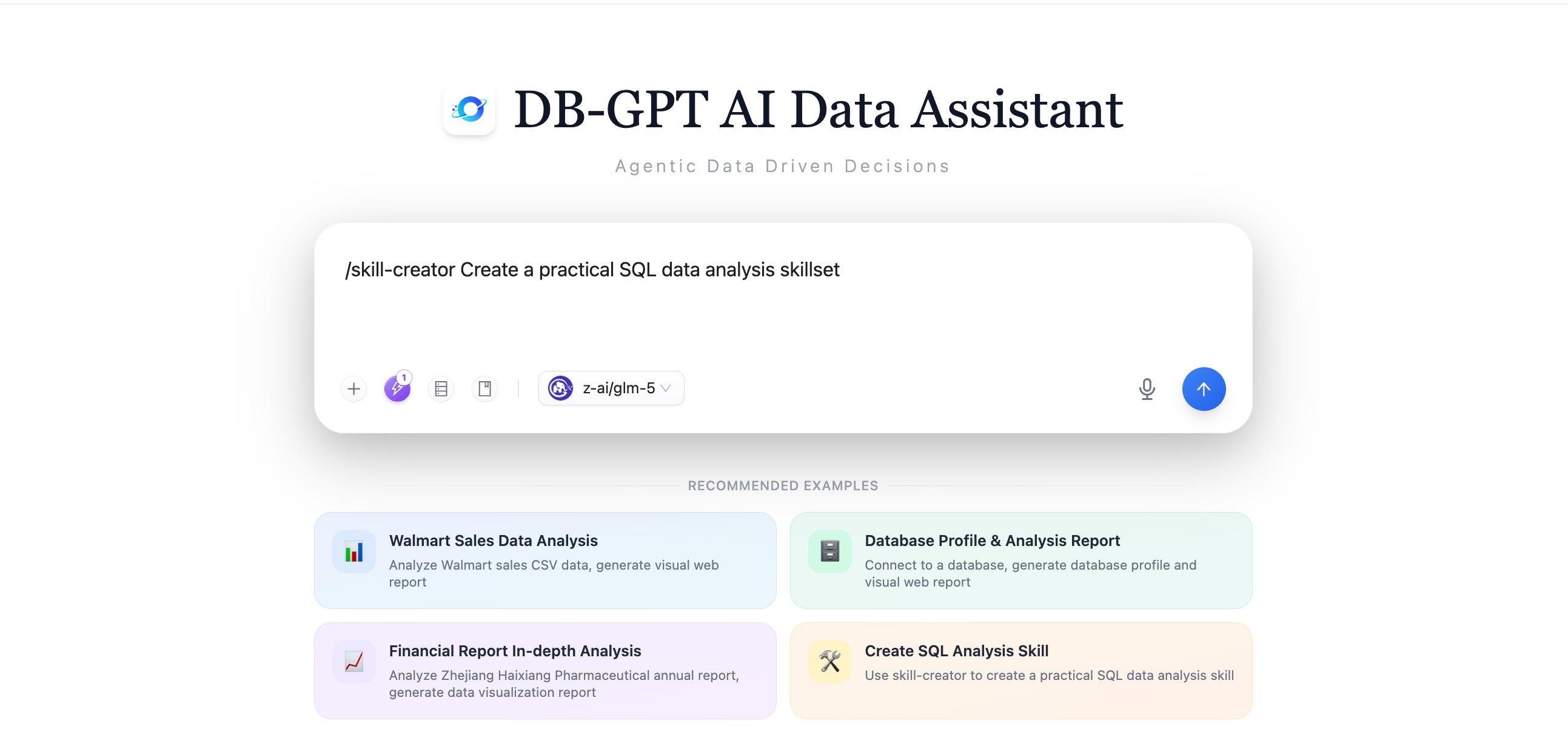
For more details on skill-creator, see the skill-creator documentation.
Option 2: Upload a Zip Package
If you already have a packaged skill (.zip or .skill file), you can upload it directly through the DB-GPT Web UI.
Steps
- Navigate to the Skills page in DB-GPT.
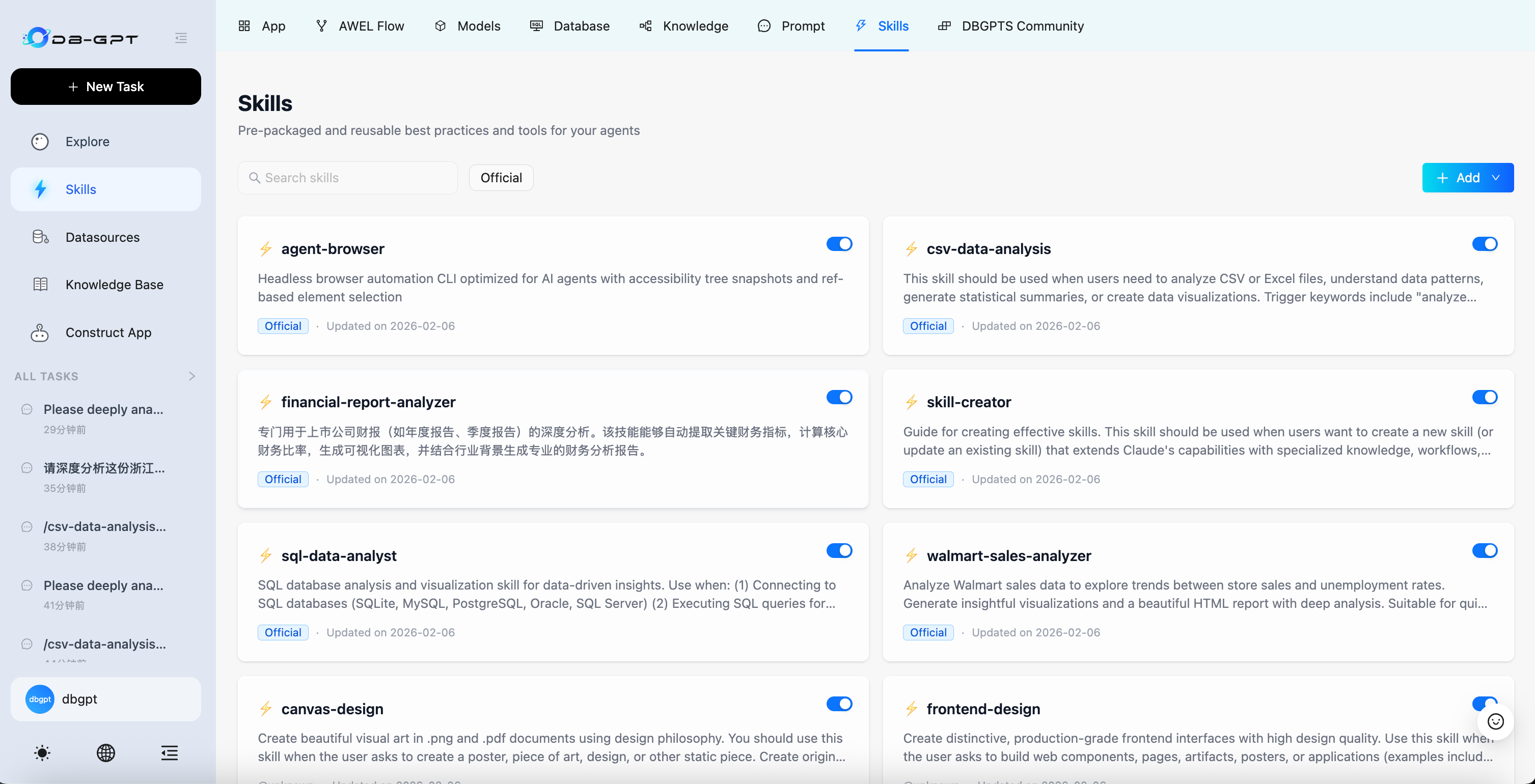
- Click the upload button and select your local
.zipor.skillfile.
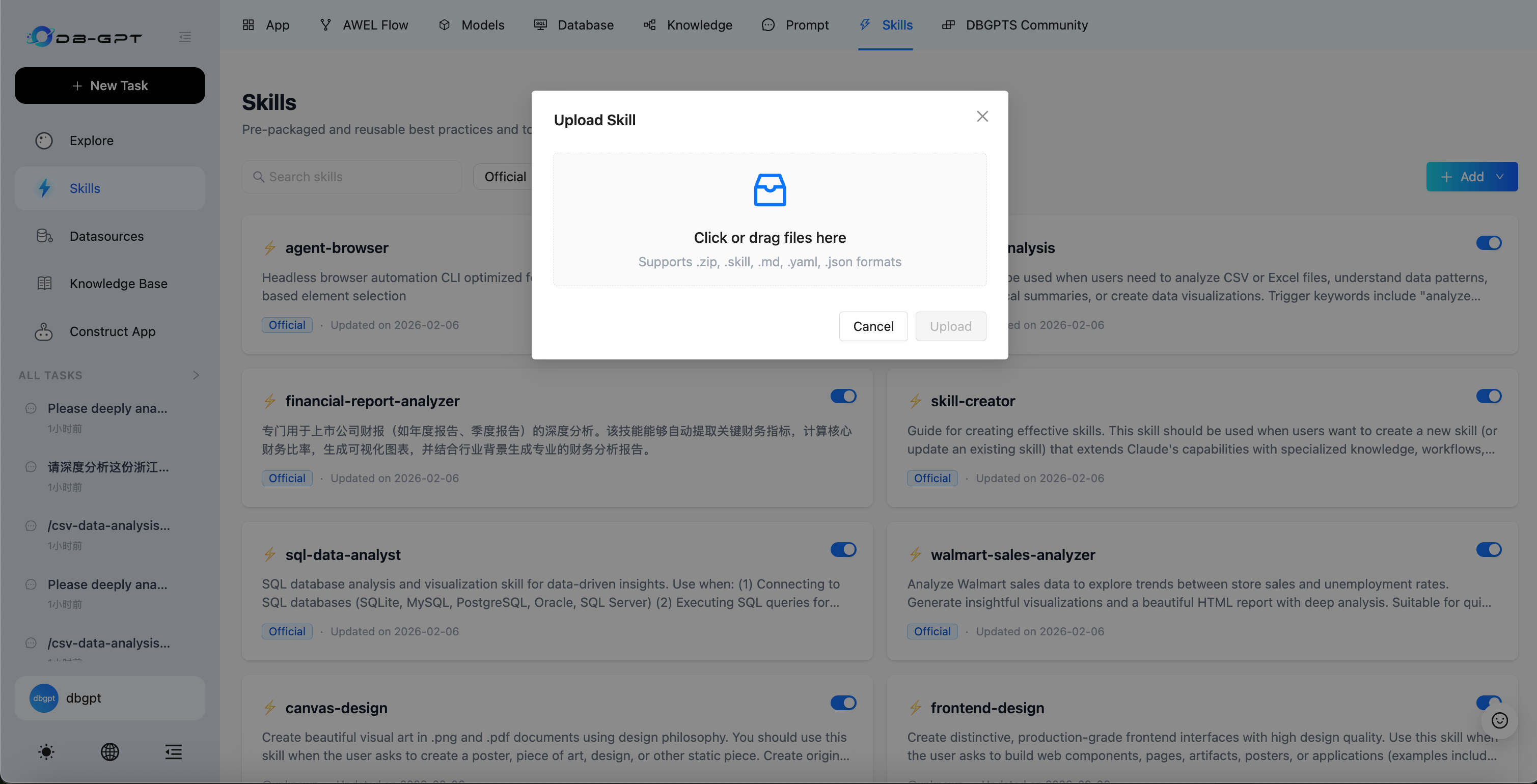
- Once uploaded, the skill appears in the list and is ready to use in conversations.
Option 3: Import via GitHub Link
DB-GPT supports importing skills directly from GitHub repositories — ideal for community or team-shared skills.
Steps
- Navigate to the Skills page in DB-GPT.
- Click the GitHub import button and paste the repository URL of the skill.
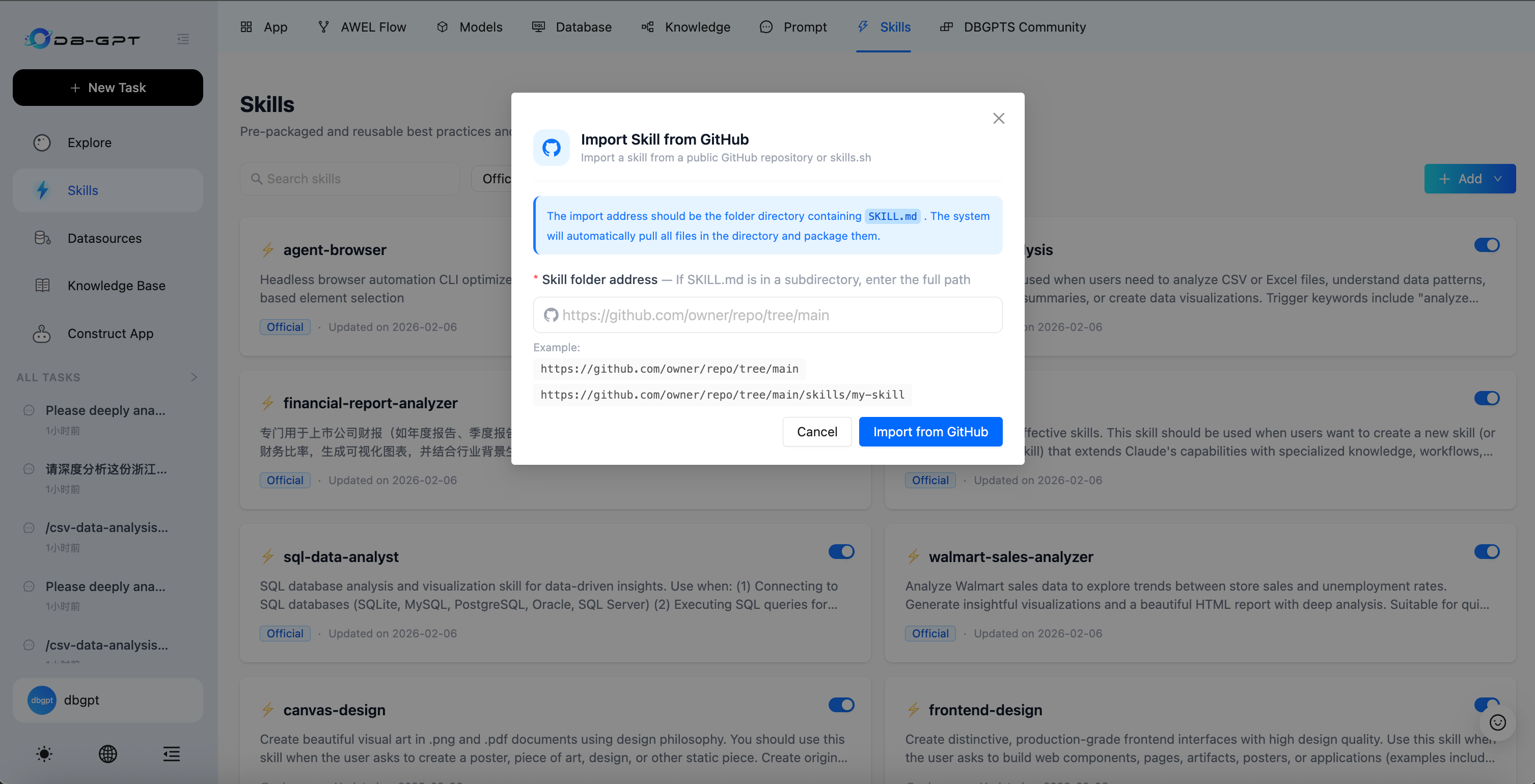
- The system automatically fetches the repository contents and completes the import. The skill is ready to use once imported.
Related reading
- skill-creator — Learn about the full capabilities and resources of skill-creator
- Skills Overview — Understand skill definitions, structure, and how they work