Chat Excel
Chat Excel means that you can interpret and analyze Excel data through natural language dialogue.
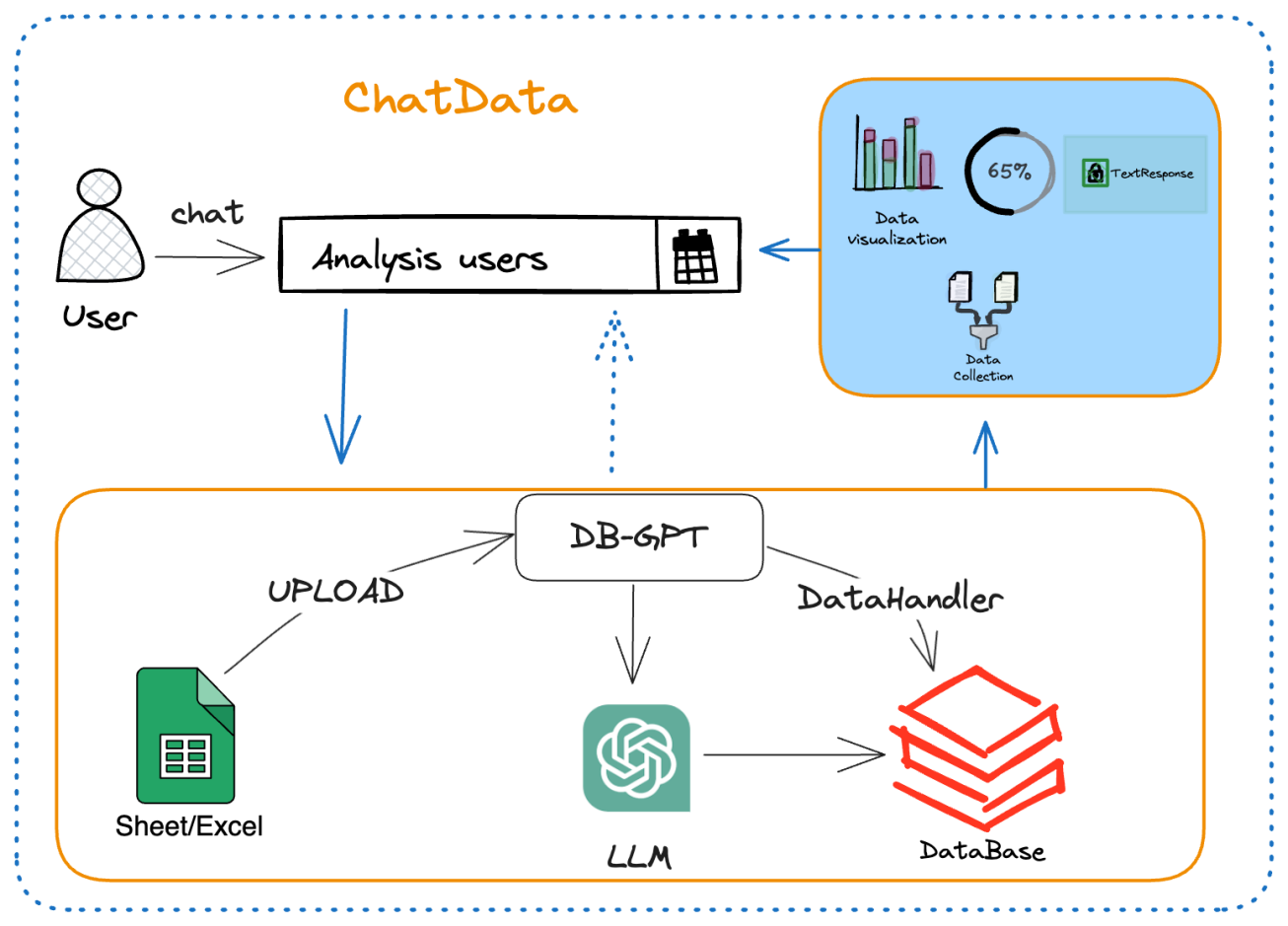
Steps
The steps to use Chat Excel are relatively simple and are mainly divided into the following steps:
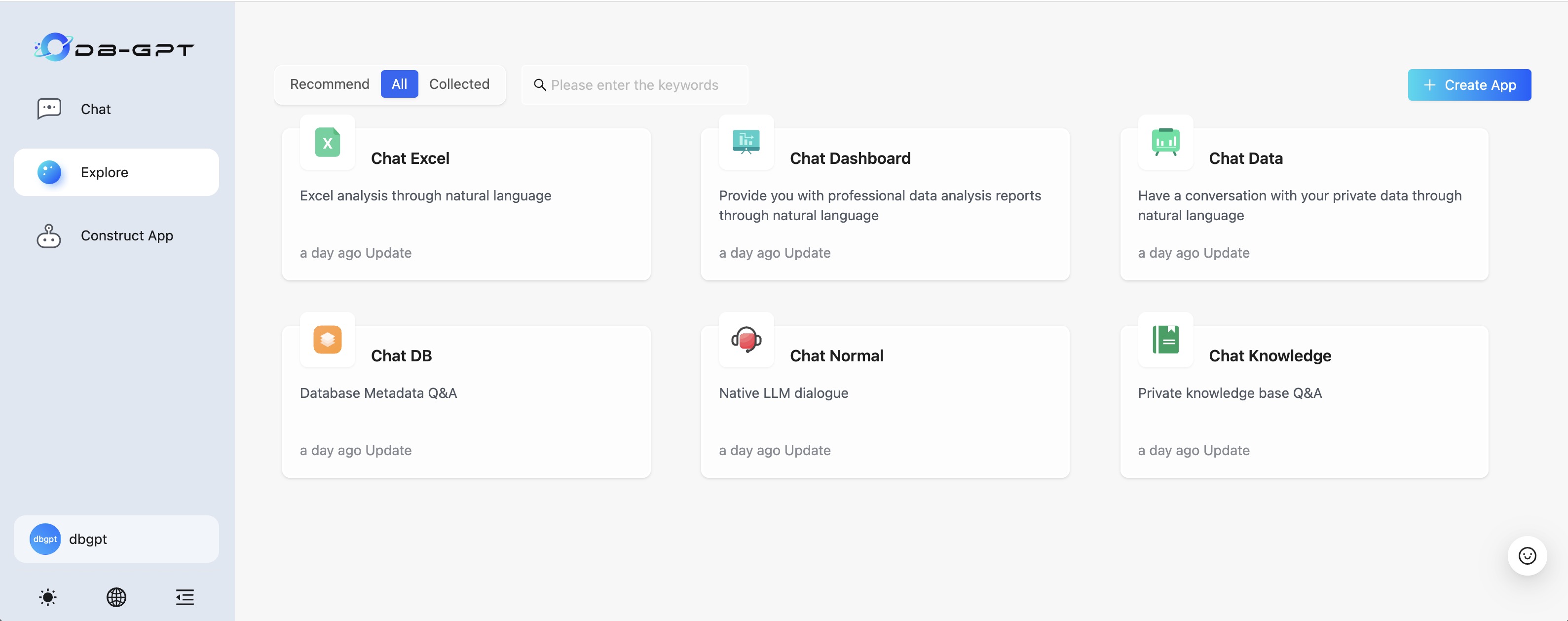
- 1.Select Chat Excel dialogue app
- 2.Upload Excel document
- 3.Start chat
Select Chat Excel
Upload Excel document
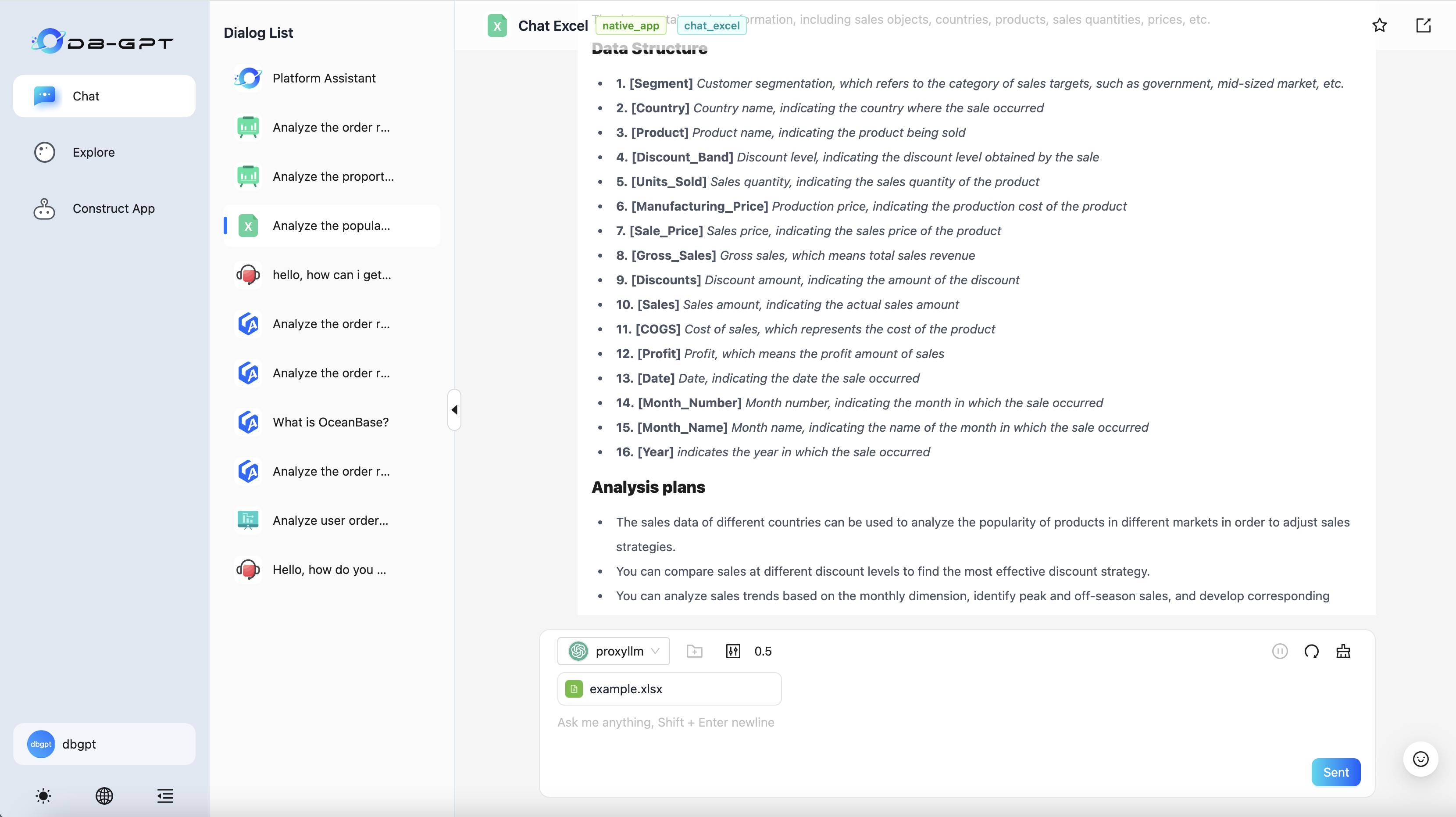
note
⚠️ the Excel file format is converted to .csv format
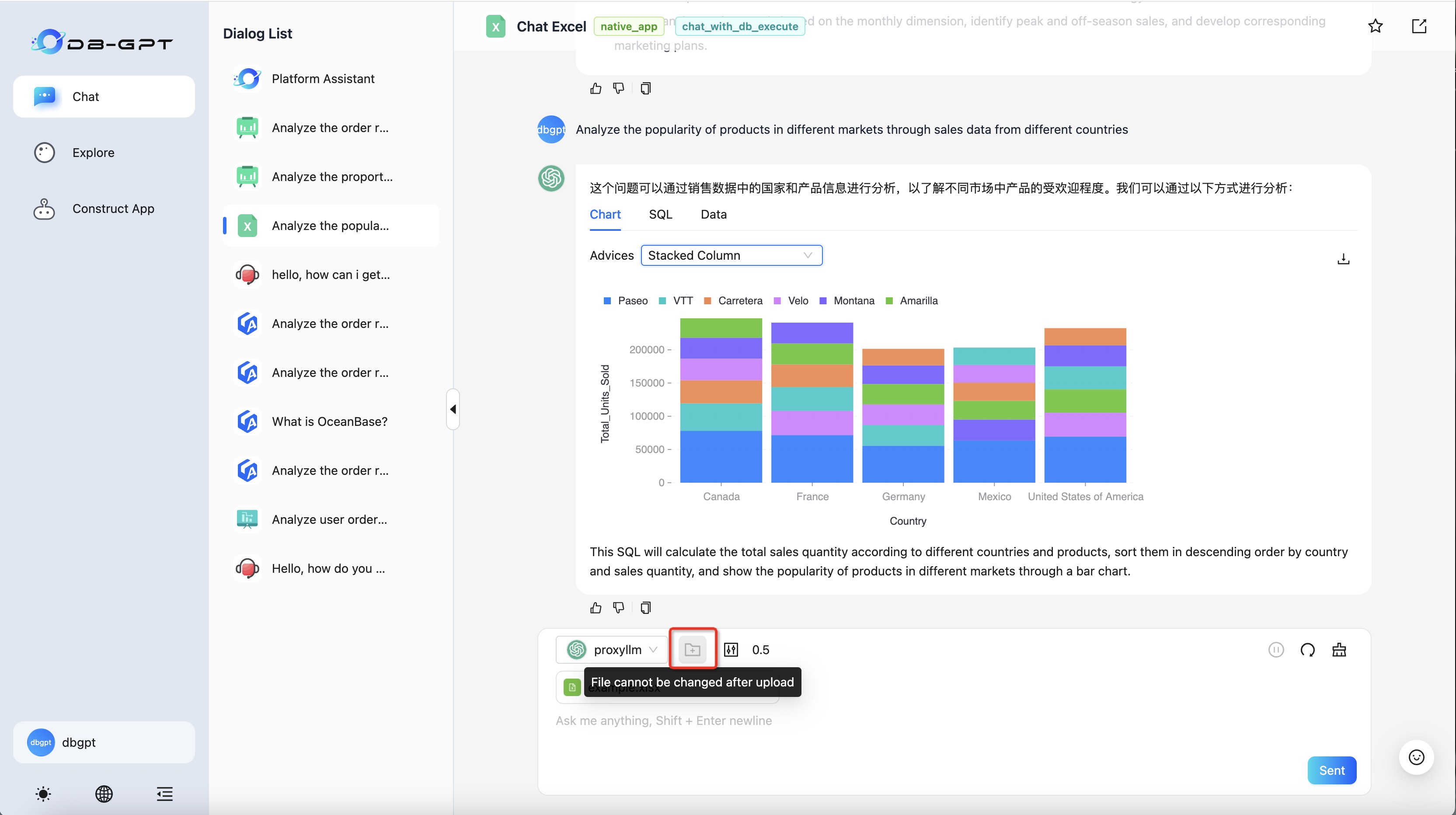
After the upload is successful, the content will be summarized by default and some questioning strategies will be recommended.
Start chat
You can then start a conversation based on the uploaded file.