External Data Sources
Bind external platforms — Feishu Wiki, Feishu Drive, Yuque, or RSS — to a knowledge space. Documents from those platforms are pulled automatically (chunked, embedded, searchable) and kept in sync on a schedule you choose.
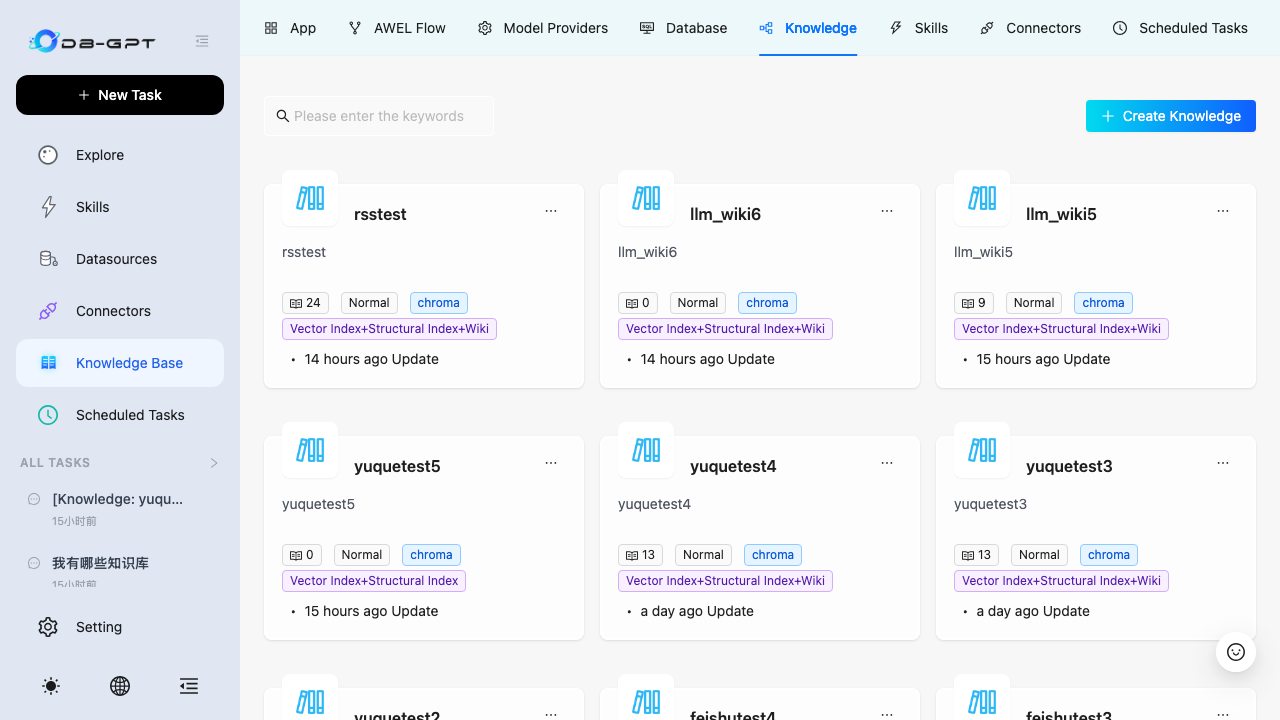
Screenshots in this guide use the English UI; 中文界面(
Setting → Language)布局一致。
Supported sources
| Source | What it syncs | Credentials |
|---|---|---|
| Feishu Wiki | Wiki spaces → docx documents (blocks → Markdown), sheet/bitable links | App ID + App Secret |
| Feishu Drive | Drive folders → docx files, other types as reference links | App ID + App Secret |
| Yuque | Personal + team repos → documents (body as Markdown) | Personal Token |
| RSS / Atom | Feed entries → Markdown | Feed URL |
Notion is coming soon (the card is already in the picker and will light up once the connector ships).
Binding a source
Step 1 — Create or open a knowledge space
You can bind a source in two places:
- During space creation — pick a binding-style card (Feishu Wiki / Yuque Wiki / RSS). After the space is created, the binding wizard opens inline and pre-selects the connector for you.
- On the space detail page → Sources tab — click Bind external data source.
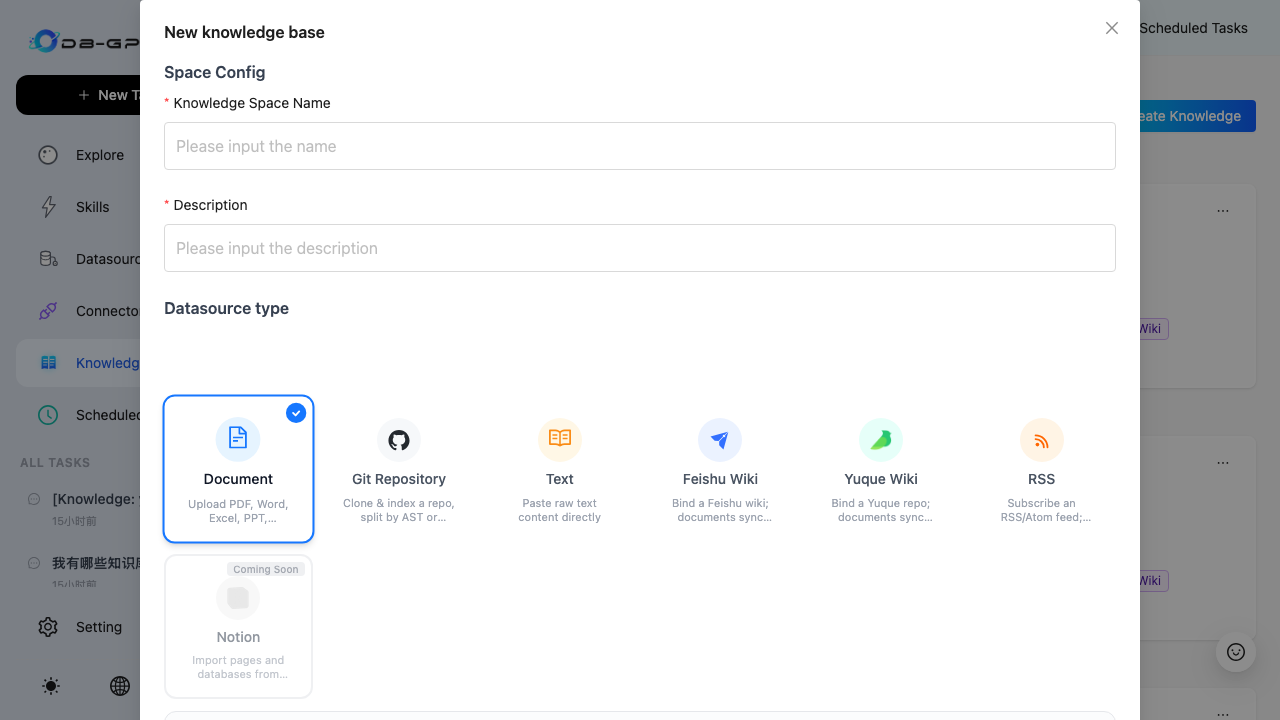
Step 2 — Choose the connector type
The wizard walks through four steps. Pick the platform first (when entering from space creation this step is already answered and skipped).
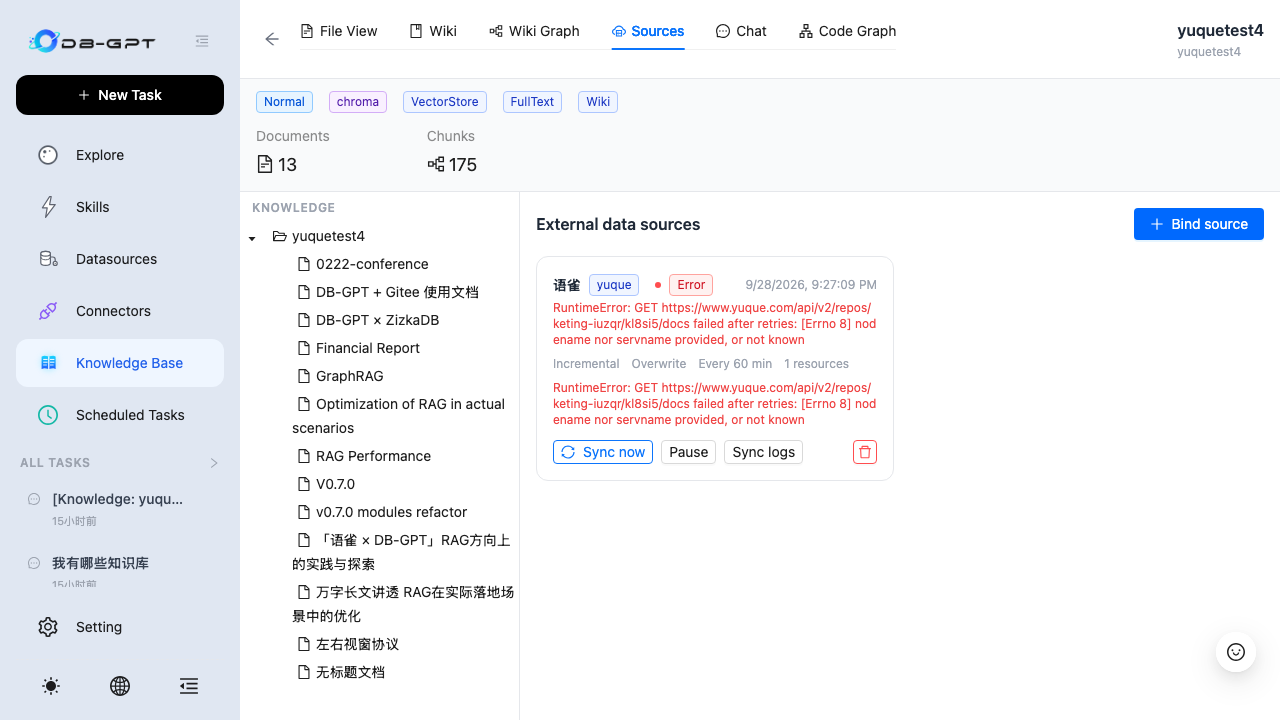
Step 3 — Configure credentials
Credentials are validated against the platform before anything is saved, then stored AES-256-GCM encrypted in the metadata DB.
Step 4 — Pick the scope
The resource tree loads lazily from the platform (e.g. Feishu wiki spaces → node trees, Yuque personal/team repos). Check what you want to sync — rows never expose raw URLs.
Step 5 — Choose the sync strategy
| Field | Meaning |
|---|---|
| Sync schedule | Manual only, every 15/60/1440 minutes |
| Sync mode | Incremental (cursor-based, only changed items) or Full |
| Conflict strategy | Overwrite (update + re-chunk) or Skip unchanged |
| Sync deletions | When ON, items removed at the source are deleted locally (full passes only) |
Click Finish — the first fetch runs immediately and a toast reports created/updated counts. Documents appear in File View; if the space also has the Wiki index method enabled, wiki pages regenerate automatically.
Managing bindings
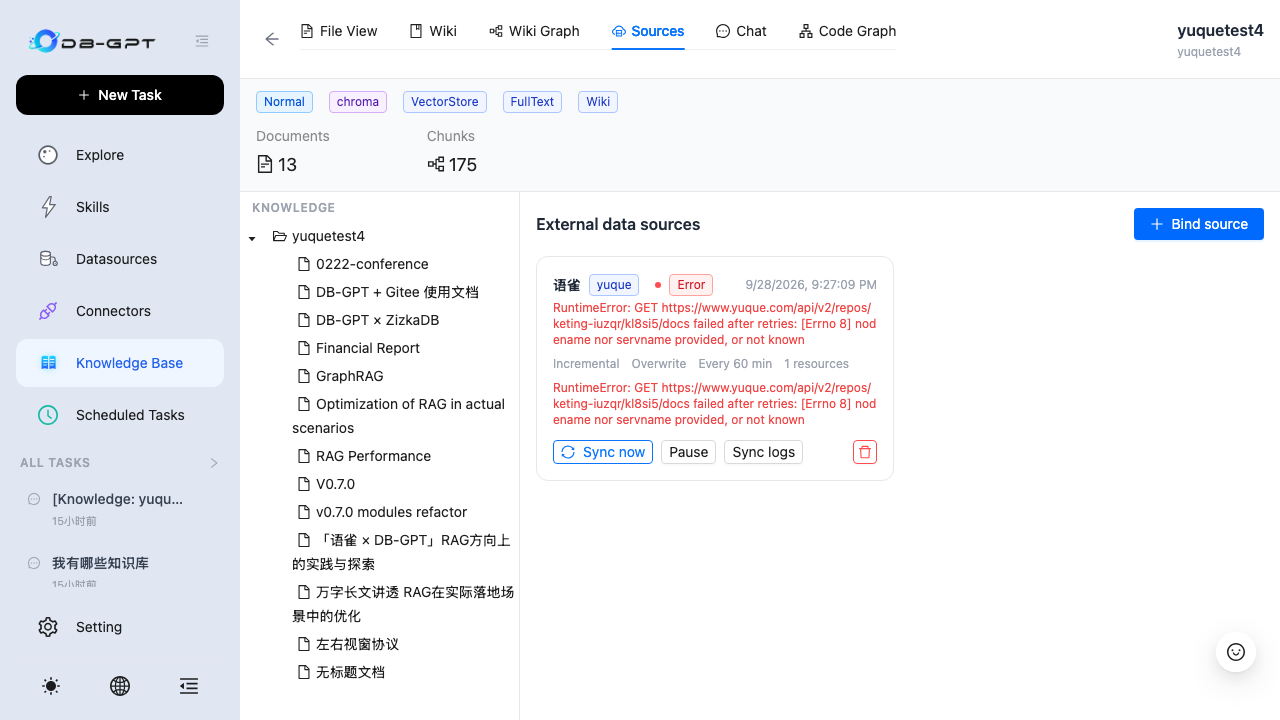
Each binding card shows live status (active / paused / running / error), the last sync time, and its error message. Available actions:
- Sync now — manual full/incremental run
- Pause / Resume — stops or resumes scheduled runs
- Sync logs — the last 50 runs with created/updated/skipped/failed/deleted counts
- Delete — unbind (synced documents are kept)
Troubleshooting
| Symptom | Fix |
|---|---|
knowledge source encrypt key not configured | Since v0.7 the key is auto-provisioned; only pin DB_GPT_KS_ENCRYPT_KEY (or [rag.knowledge_source] encrypt_key) if you want DBA-level confidentiality for credentials |
Yuque HTTP 429 | Rate-limited — retry in 1–2 minutes; consistent 429 means the token is throttled or shared by another script. Rotate the token |
CERTIFICATE_VERIFY_FAILED | A corporate proxy intercepts TLS. Set DB_GPT_KS_CA_BUNDLE to the corporate root CA (or temporarily DB_GPT_KS_INSECURE=1) and restart |
Errno 8 nodename nor servname | DNS failure — check the server host's network/proxy |
Feishu invalid app_id/secret | Create an enterprise self-built app with wiki:wiki:readonly, docx:document:readonly, drive:export:readonly scopes and publish it |
Community connectors
New platforms follow a small contract:
BaseKnowledgeSourceConnector with
validate / list_resources / fetch_all / fetch_incremental methods and a
ConnectorMeta that renders the credential form automatically.
[project.entry-points."dbgpt.knowledge_sources"]
my_source = "my_pkg.connector:MyConnector"
After pip install, restart DB-GPT — the connector shows up in the wizard
with zero frontend code. See the full developer guide:
docs/design/datasource-connector-dev-guide.md.