LLM-Wiki
LLM-Wiki turns a knowledge space into a living wiki: an agent reads your documents and auto-generates interlinked Markdown pages (entities, concepts, per-document summaries, a catalog page), a link graph for visual exploring, and keeps everything updated incrementally as new documents arrive.
The wiki is fully consumable:
browse it tab-by-tab, query it from any agent via kb_wiki_* tools, and rely
on it in normal knowledge chat (wiki chunks get a retrieval boost).
Enabling LLM-Wiki
Open the space creation wizard (or an existing space's binding flow) and check LLM-Wiki Index under Index Methods:
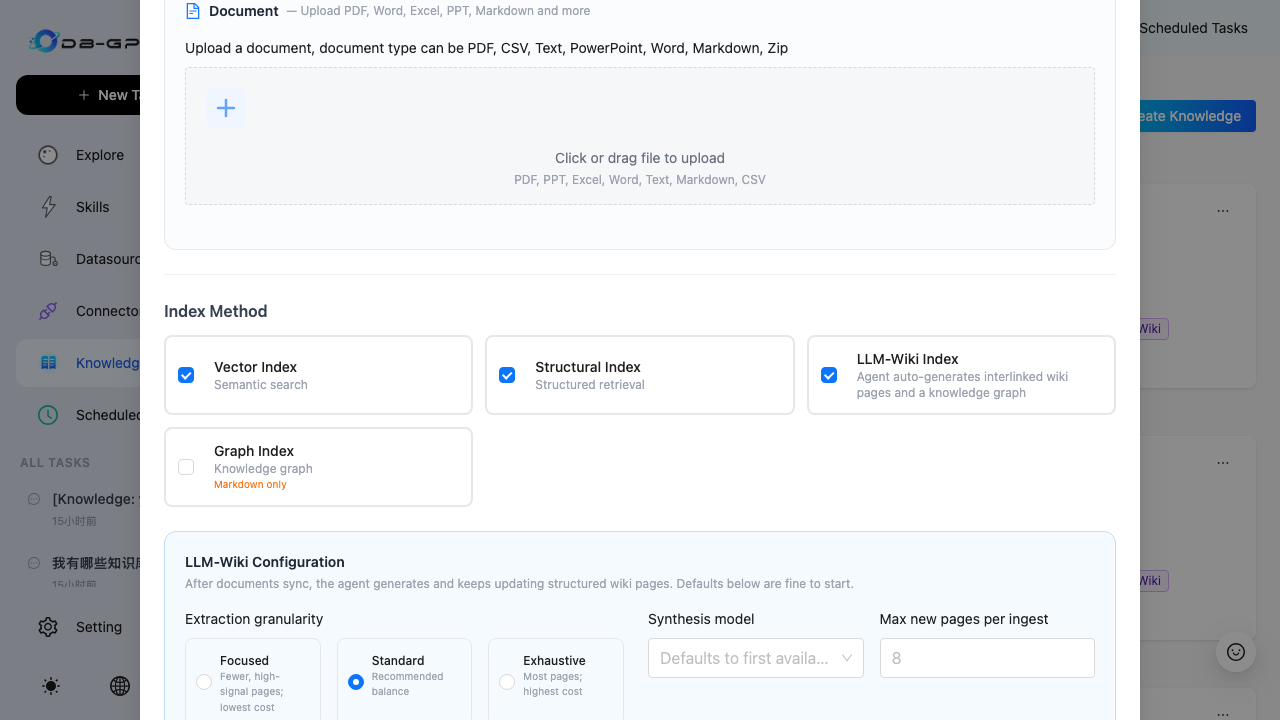
Optional tuning (defaults are fine):
| Field | Meaning |
|---|---|
| Extraction granularity | Focused (fewer, high-signal pages) / Standard (recommended) / Exhaustive (most pages) |
| Generation model | Defaults to the first available model |
| Max new pages per ingest | Cost ceiling per document batch (default 8) |
| Content instructions | Free-form guidance, e.g. "organize for onboarding; prefer tables" |
Generating the wiki
Documents are the trigger. Any of these starts a debounced (30s) generation run — no manual click needed:
- Binding an external source (first sync immediately, then per schedule)
- Uploading / re-syncing a file through File View
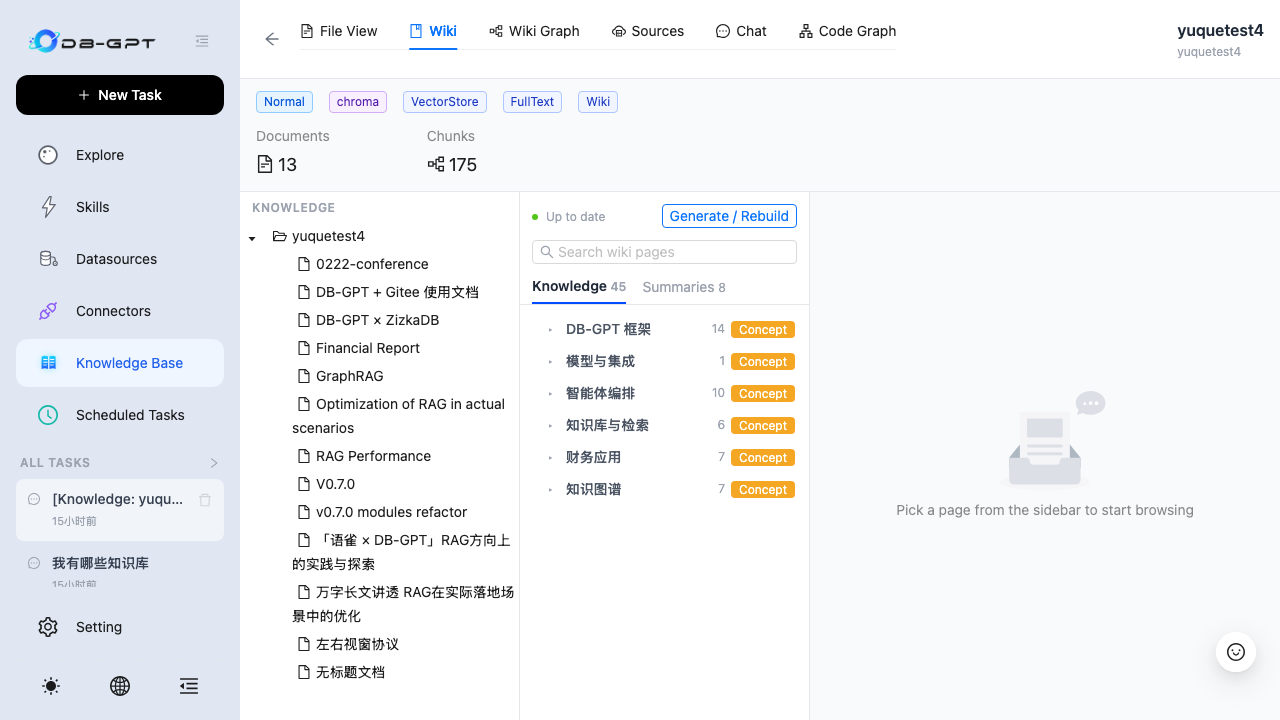
For a wholesale rebuild (e.g. after changing wiki settings) open the space → Wiki tab → Generate / Rebuild:
Browsing the wiki
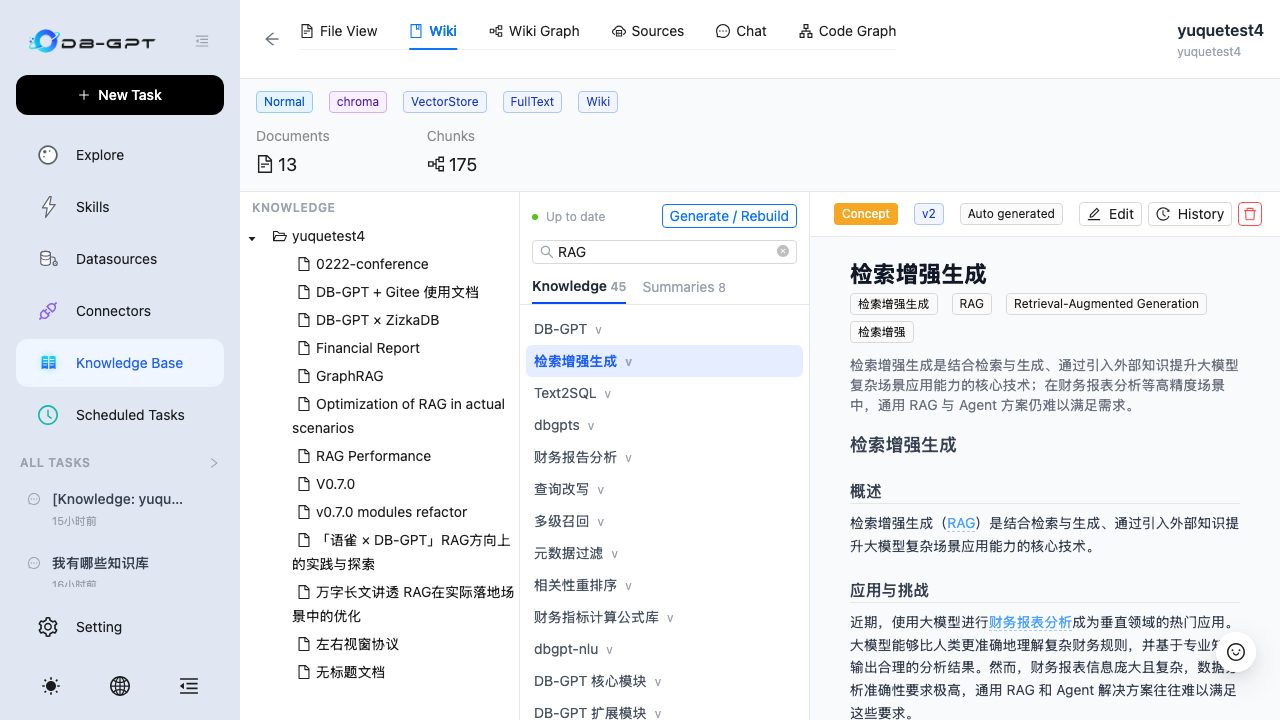
The Wiki tab shows the space's wiki:
- Catalog tree — folders two levels deep, page rows carry their type (概念/实体/摘要…) and version pill; use the search box to find pages directly.
- Reader — every page renders with its aliase模型s, source documents and
backlinks;
[[links]]inside the text navigate between pages.
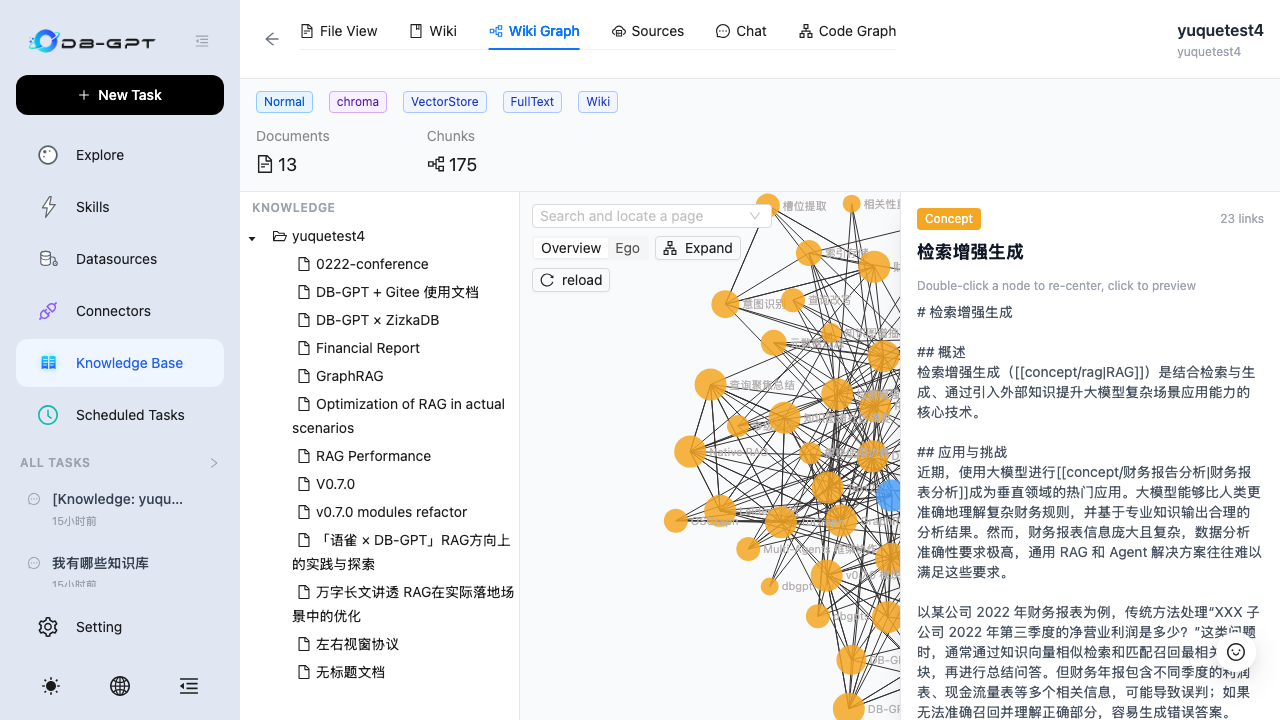
- Wiki Graph tab — the link graph between pages; click a node to preview, double-click to re-center the neighborhood.
Editing and version history
Every page carries its revision history. Agent edits, the generation pipeline
and manual edits are all recorded with a provenance label
(auto generated / agent edit / manual edit) and can be rolled back to
any prior version (a revert itself becomes a new version).
Click Edit for inline editing (optimistic locking — if someone else saved first you get a 409 with reload/overwrite options).
Consuming the wiki from agents
When a knowledge space has LLM-Wiki enabled, agents bound to that space get three read tools automatically (mounted only when the space is wiki-enabled):
| Tool | Purpose |
|---|---|
kb_wiki_index | Folder/page catalog with one-line summaries |
kb_wiki_search | Search pages by keywords |
kb_wiki_read_page | Read a page by slug ('index' = catalog) |
Space-internal flows (chat on the space detail page / maintainer agents) can
also write wiki pages via kb_wiki_write_page / kb_wiki_replace_text —
all writes are recorded as agent edits and remain revertible.
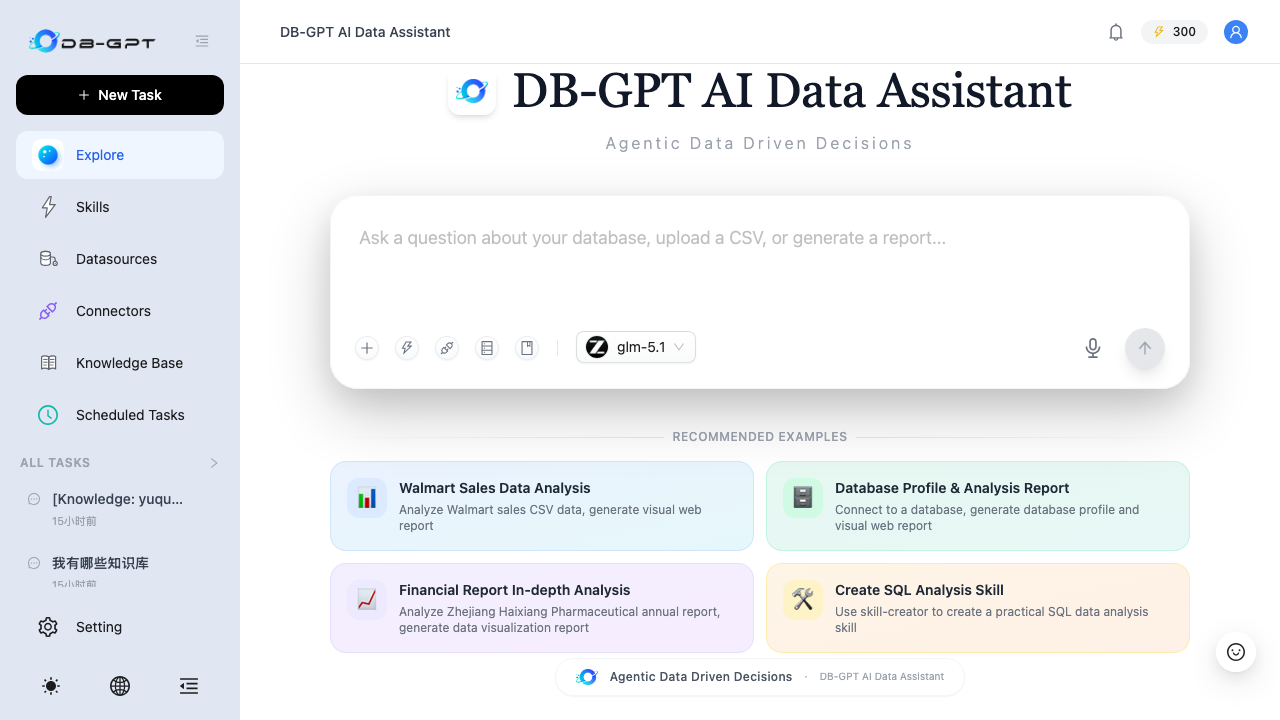
In the Data Assistant you will see these tools listed under the knowledge
base section once a wiki-enabled space is selected; ask for the space's
overall structure and the agent will reach for kb_wiki_index first.
Selecting a wiki-enabled space
The knowledge base picker in the assistant shows a 📖 Wiki badge on every wiki-enabled space, so you know which bases carry curated wiki knowledge:
How generation works (short version)
- Documents are chunked/embedded as usual; each sync enqueues a debounced wiki ingest.
- The pipeline extracts page candidates per document, grounds them with chunk citations, merges duplicates, plans a two-level folder structure, then incrementally rewrites each page ("compiler, not writer").
- A finalize pass rebuilds the catalog page, repairs dead links, injects cross-links and syncs pages into the retrieval index (boosted 1.3× for knowledge chat).
Changes are visible in the catalog tree under their folders; the "摘要" (Summaries) tab holds per-document summary pages.